Unlimited Free Word Count Tool by UploadWords.com: Features and How to Use It
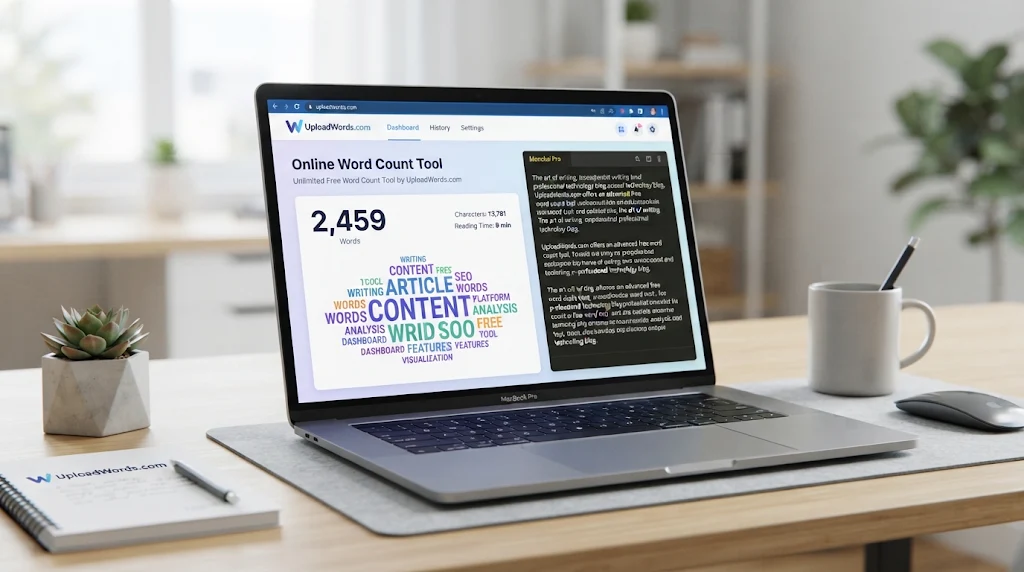
The unlimited free word count tool by UploadWords.com is a simple online text analyzer that helps users count words, check characters, identify frequently used keywords, and visualize text through a word cloud. It is useful for students, bloggers, content writers, and SEO professionals who want to analyze text without installing additional software.
Instead of counting words manually, users can paste their content or upload a supported text file to get results in seconds. The tool also provides options to copy analysis results and download a word cloud.
What Is UploadWords.com?
UploadWords.com is a free online word counting and text analysis tool. It combines basic word counting with additional features that help users understand the content of their writing.
Its main features include:
- Word Count: Displays the total number of words in submitted text.
- Character Count: Shows the number of characters in the content.
- Top Keywords: Identifies frequently appearing words.
- Word Cloud: Creates a visual representation of commonly used words.
- TXT File Upload: Supports uploading text files up to 4 MB.
- Copy and Export: Allows users to copy results and download word cloud images as PNG files.
The tool does not require users to create an account before accessing its main features.
How to Use the Unlimited Free Word Count Tool
Using UploadWords is straightforward, even for beginners.
Step 1: Open UploadWords
Visit UploadWords.com to access its online text analyzer.
Step 2: Paste Text or Upload a File
Copy your essay, article, blog post, or other written content into the text box. Alternatively, upload a supported TXT file.
Step 3: Analyze Your Content
Click the Analyze option to process your text. The tool displays the word count, character count, frequently used keywords, and a word cloud.
Step 4: Review and Export Results
Check the results to understand your content’s length and keyword usage. You can copy the analysis or download the word cloud as a PNG image.
Why Use UploadWords for Word Counting?
A word counter is useful whenever your writing needs to meet a particular length requirement.
For students: Students can check assignment lengths, essays, research papers, and other academic writing before submission.
For bloggers: Content writers can monitor article length and identify frequently repeated words while editing blog posts.
For SEO professionals: The top keyword feature can help identify repeated terms and understand the vocabulary used throughout an article.
For businesses: Marketing teams can review website copy, reports, descriptions, and other written material more efficiently.
Word Count vs. Character Count: What’s the Difference?
Word count measures the number of words in a text, while character count measures individual letters, numbers, spaces, and punctuation marks.
For example, the sentence “Online writing tools are useful” contains five words. Its character count is higher because every letter and space contributes to the total.
Both measurements are important. Students may need to meet word limits, while social media marketers often need to stay within character limits.
How UploadWords Can Help with SEO Content
Content writers can use UploadWords as a supporting tool during the editing process.
The word counter helps check article length, while top keyword results make it easier to notice repeated terms. The word cloud provides another way to identify prominent vocabulary.
However, keyword frequency alone does not determine search rankings. Good SEO content should answer the reader’s question, cover relevant subtopics, provide useful information, and avoid unnecessary keyword repetition.
For better content management, businesses can also explore digital business operations to understand how digital tools and workflows improve everyday business activities.
Is UploadWords Completely Free?
UploadWords currently presents its main text analysis tool as free to use without registration. Its dedicated tool page supports TXT file uploads up to 4 MB, along with text analysis and word cloud downloads.
Although the tool describes its text processing as privacy-focused, users should review its current privacy policy before submitting confidential business documents, personal information, or sensitive client content.
Limitations of UploadWords
UploadWords is designed for basic text analysis rather than complete writing and editing.
Some limitations to consider include:
- It does not replace a professional grammar checker.
- Keyword frequency does not provide complete SEO analysis.
- TXT file support does not mean every document format is supported.
- Word count alone cannot measure writing quality or topical completeness.
- Users should verify counting results when working with strict academic or publishing requirements.
Frequently Asked Questions
Is UploadWords.com free to use?
Yes. UploadWords presents its word counting and text analysis features as free, with no account registration required.
Can I count words without uploading a file?
Yes. You can paste text directly into the editor and analyze it without uploading a document.
Does UploadWords support file uploads?
Yes. Its dedicated tool page currently supports TXT files up to 4 MB.
Can UploadWords count characters?
Yes. The tool displays both word count and character count in its analysis results.
Is UploadWords useful for SEO?
Yes, as a supporting text analysis tool. It can help identify frequently used keywords and review content length, but it does not replace keyword research or SEO optimization tools.
Can I use UploadWords on mobile?
Yes. The website provides a mobile-friendly interface, allowing users to access its text analysis features through a mobile browser.
Article Summary
The unlimited free word count tool by UploadWords.com provides a convenient way to measure text length, identify frequently used keywords, and generate word clouds. Its simple interface, free access, and TXT file support make it useful for students, bloggers, and digital marketers.
Whether you are checking an essay, editing a blog post, or reviewing website content, UploadWords offers practical text analysis features in one place. It works best as a lightweight writing utility alongside other editing and SEO tools.