
Introduction
Smartphones make everyday life easier, but spending too much time on social media, games, and endless scrolling can distract us from important tasks. Many people check their phones without thinking, even when they want to work, study, relax, or spend time with family.
A digital detox is a simple way to build healthier technology habits. It does not necessarily mean giving up your smartphone completely. Instead, it means using technology more intentionally and reducing unnecessary screen time.
Fortunately, several digital detox apps can help you manage your phone usage, block distracting websites, create focused work sessions, and develop better daily routines.
In this guide, we will explore the best digital detox apps, their key features, and how to choose the right option for your lifestyle.
What Is a Digital Detox App?
A digital detox app helps users control their screen time and reduce distractions caused by smartphones, computers, and social media platforms.
Depending on the app, you may be able to set daily usage limits, block distracting applications, schedule phone-free periods, track your habits, or use a timer to stay focused.
These tools are useful for students, professionals, remote workers, content creators, and anyone who wants to spend less time scrolling and more time on meaningful activities.
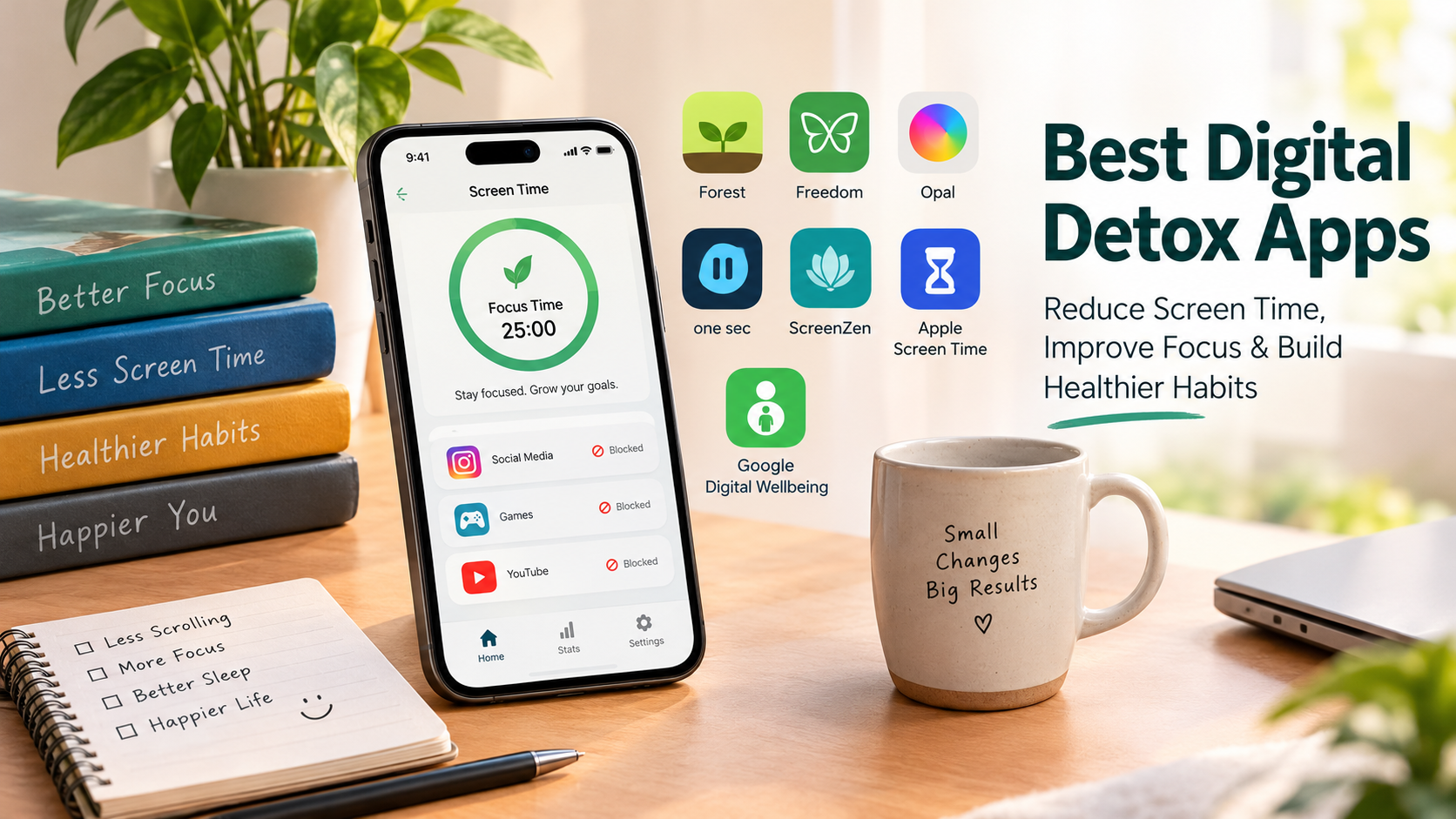
Best Digital Detox Apps
1. Forest — Best for Gamified Focus Sessions
Forest is a popular choice for people who enjoy visual motivation. The app turns focused work sessions into a simple game in which a virtual tree grows while you concentrate.
When you start a session, you commit to staying focused instead of switching to distracting applications. Depending on your settings and device, leaving the session can interrupt your progress.
Key features:
- Focus timers for work and study sessions.
- Virtual trees that reward focused time.
- Visual progress and motivation.
- A simple way to make concentration more engaging.
Best for: Students, writers, and people who enjoy gamified productivity tools.
Forest is particularly useful if you find ordinary timers boring and want a visual reminder to stay on task.
2. Freedom — Best for Blocking Distractions Across Devices
Freedom helps users block distracting websites, applications, and internet access during scheduled focus sessions. It is especially useful for people who work on multiple devices.
For example, you could block social media on your laptop while studying and use a corresponding session on your phone.
Key features:
- Website and application blocking.
- Scheduled distraction-free sessions.
- Support for multiple operating systems.
- Tools for building consistent focus routines.
Best for: Remote workers, freelancers, students, and professionals who need fewer digital interruptions.
Freedom is worth considering if switching from your phone to your computer is one of the main reasons you lose concentration.
3. Opal — Best for Structured Screen-Time Control
Opal is designed for users who want more control over distracting apps and their daily screen-time habits.
You can create focus sessions, establish app limits, and build routines that make it harder to open distracting applications during important activities. Features and restrictions vary by plan and device.
Key features:
- Focus sessions and app-blocking tools.
- Screen-time tracking.
- Customizable schedules and limits.
- Options designed to support consistent digital habits.
Best for: People who want a structured approach to reducing social media use.
Opal can be a good option if you frequently open social media during work, study, or personal time and want stronger boundaries.
4. one sec — Best for Breaking Automatic Scrolling Habits
Sometimes, the biggest problem is not how long you use an app but how automatically you open it.
one sec addresses this behavior by introducing a short pause before opening selected distracting apps. Depending on the configuration, the pause may include a breathing exercise or an opportunity to reconsider your decision.
Key features:
- A pause before opening selected apps.
- Prompts that encourage mindful decisions.
- Options for tracking app-opening habits.
- Additional blocking features on supported devices and plans.
Best for: People who repeatedly open Instagram, TikTok, or other distracting apps without a clear reason.
Rather than immediately blocking every distraction, OneSec encourages you to notice the habit before deciding whether to continue.
5. ScreenZen — Best Free Digital Detox Option
ScreenZen is a useful option for people who want to reduce unnecessary phone use without immediately paying for a subscription.
It can introduce waiting periods before opening selected applications and help users establish usage limits and schedules.
Key features:
- App-opening delays.
- Customizable screen-time goals.
- Usage limits and schedules.
- Tools for encouraging more intentional phone use.
Best for: Beginners who want to experiment with digital detox habits on a budget.
ScreenZen is a sensible starting point if you want to understand your habits and reduce distractions before investing in a premium app.
6. Apple Screen Time — Best Built-In Option for iPhone
Apple Screen Time provides tools to monitor device usage and control how much time you spend in specific applications.
Because it is integrated into Apple’s ecosystem, iPhone users can start managing their screen time without necessarily downloading another application.
Key features:
- Daily and weekly usage reports.
- App and category limits.
- Scheduled Downtime.
- Controls for selected applications and websites.
Best for: iPhone and iPad users who want straightforward screen-time management.
To get started, open Settings on your iPhone and select Screen Time. Review your usage and create limits for the applications that consume the most unnecessary time.
7. Google Digital Wellbeing — Best Built-In Option for Android
Google Digital Wellbeing helps Android users understand their phone habits and create healthier boundaries.
Its dashboard can show how frequently you use applications, how often you unlock your phone, and how many notifications you receive.
Key features:
- Screen-time reports.
- Daily app timers.
- Bedtime Mode on supported devices.
- Notification and usage insights.
Best for: Android users who want practical screen-time controls without installing a separate detox app.
Open your phone’s Settings and look for Digital Wellbeing. The available options may vary by Android version and device manufacturer.
Digital Detox Apps Compared
| App | Best for | Main benefit |
|---|---|---|
| Forest | Students and focus sessions | Gamified concentration |
| Freedom | Multiple devices | Blocking apps and websites |
| Opal | Structured routines | Scheduled focus controls |
| one sec | Automatic app opening | A pause before distractions |
| ScreenZen | Budget-conscious users | Delays and usage limits |
| Apple Screen Time | iPhone users | Built-in usage controls |
| Google Digital Wellbeing | Android users | Usage reports and app timers |
Features, supported devices, and pricing can change. Check each developer’s current information before choosing a paid plan.
How to Choose the Best Digital Detox App
The right digital detox app depends on your main challenge. You do not necessarily need the app with the most features. You need one that addresses the habit you want to change.
Choose an App Based on Your Goal
If you want to stop opening social media automatically, try a tool such as one sec or ScreenZen.
If you need to block websites while working on several devices, consider Freedom.
If you enjoy rewards and visual progress, Forest may suit your routine.
If you use an iPhone or Android phone and simply want to understand your screen time, start with Apple Screen Time or Google Digital Wellbeing.
Consider Your Budget
You can begin your digital detox without spending money. Built-in screen-time tools and free versions of selected applications may provide enough functionality for basic needs.
Before purchasing a subscription, check which features are free, whether the plan supports all your devices, and whether it includes the blocking options you actually need.
Check Device Compatibility
Not every application offers identical features on iOS, Android, Windows, and macOS. Some restrictions may also depend on device permissions or operating-system limitations.
Check compatibility before installing an app, especially if you want to manage distractions across multiple devices.
Think About Privacy
Screen-time management tools may require permissions to monitor or restrict application usage. Read the privacy policy and understand which permissions are required, what information is collected, and how it is used.
Choose a service whose privacy practices you are comfortable with.
Tips for a Successful Digital Detox
Installing an app is only the first step. The goal is to build habits that make technology easier to manage.
Set Realistic Screen-Time Goals
Start by reviewing your current usage. Choose one or two distracting apps and set a realistic daily limit.
Reducing unnecessary use gradually may be easier to maintain than trying to eliminate every form of screen time immediately.
Create Phone-Free Periods
Choose specific periods when you will avoid unnecessary phone use. For example, keep your phone away during meals, focused work sessions, or the final part of your bedtime routine.
You can use an app to support these boundaries.
Turn Off Unnecessary Notifications
Notifications often encourage people to check their phones even when they have no specific reason to do so.
Disable nonessential alerts and keep notifications enabled for important contacts, work responsibilities, and urgent matters.
Replace Scrolling With Better Activities
When you reduce screen time, decide what you want to do instead. Read a book, walk outside, exercise, learn a skill, or spend time with friends and family.
Having an alternative activity makes it easier to maintain your new routine.
Review Your Progress Weekly
Check your usage reports once a week. Look for patterns rather than judging yourself for every extra minute.
If you regularly exceed a limit, adjust your schedule or choose a stronger blocking method. The purpose is to create sustainable habits, not to achieve a perfect screen-time score.
Frequently Asked Questions
What is the best digital detox app?
The best app depends on your needs. Forest is useful for gamified focus sessions, Freedom for cross-device blocking, one sec for interrupting automatic app openings, and ScreenZen for a budget-friendly starting point.
Are digital detox apps free?
Some options are free, while others offer a combination of free and paid features. Apple Screen Time and Google Digital Wellbeing provide built-in controls on supported devices. Always check current pricing before subscribing.
Which app is best for reducing social media addiction?
For people who want to reduce habitual social media checking, one sec and ScreenZen are useful starting points. Freedom and Opal may be better for users who prefer scheduled blocking. These tools support habit management but do not replace professional care when social media use causes significant distress or disrupts everyday life.
Can I reduce screen time without an app?
Yes. You can turn off unnecessary notifications, remove distracting applications from your home screen, set device limits, keep your phone away during meals, and establish phone-free periods.
How long should a digital detox last?
There is no single ideal duration. Start with a short phone-free period, such as 30 minutes, and gradually extend it if it works for you. A consistent daily routine can be more practical than an occasional extreme detox.
Do digital detox apps improve productivity?
They can help reduce interruptions and make focus periods easier to maintain. However, results depend on your habits, work environment, and how consistently you use the tools.
Conclusion
The best digital detox apps help you use technology intentionally instead of allowing notifications and endless scrolling to control your day.
Forest can make focus more engaging, Freedom can block distractions across devices, one sec can interrupt automatic app opening, and ScreenZen can help you introduce practical usage limits. Built-in tools such as Apple Screen Time and Google Digital Wellbeing are also excellent places to start.
Choose one tool, set a realistic goal, and build a daily routine around it. With consistent practice, you can reduce unnecessary screen time and make more room for work, rest, and meaningful offline activities.